
 BLOG
BLOG
AR stakeout on the Reach RS4 Pro, explained by the person who built it
AR stakeout projects points directly onto the ground in front of you through your camera. Instead of translating a dot on a map to the real world, you see exactly where to go.
Built into the Reach RS4 Pro, AR stakeout leverages the same proven state estimation that powers Emlid’s tilt compensation. By combining precise position tracking and directional orientation, it delivers visual guidance you can trust without second-guessing.
We spoke with Aleksandr Dranitsa, the R&D Team Lead behind the technology, to break down how it works under the hood: sensor selection, factory calibration, technical hurdles, and real-world limits.
Matching the real world to the numbers on your screen
In a traditional stakeout, you’re holding a set of coordinates in one hand and the real world in front of you, and the work of connecting the two happens in your head.
That’s the friction behind AR stakeout: closing the gap between the numbers on your screen and the ground under your feet.
Visual data is what people are most comfortable working with. That’s the whole idea, Aleksandr says: “We wanted to remove that step and put the project data onto the real world instead.”
Emlid also already had the technical foundation to build this properly, he adds.
“Doing this well is not just a matter of putting a camera on a receiver. We were in a position to build it to the accuracy it needs.”
– Aleksandr Dranitsa, R&D Team Lead
The last mile: where a stakeout usually slows down
Once the team had that friction pinned down, the next question was where AR actually saves time, and it isn’t in the walk to the point. It’s the last few steps.
With a map view, you’re always doing a small piece of translation in your head: matching what’s on the screen to what’s in front of you. It’s fast, but you repeat it for every single point.
“The final centimeters are where a stakeout usually slows down,” Aleksandr says. “And they’re where a map view helps you least.“
A camera view skips that step entirely. The point gets drawn onto the ground you’re already looking at, with a line guiding you in. The dual-camera setup on the Reach RS4 Pro keeps that accurate all the way to the point:
- Approaching the target, the front camera shows you the point ahead with the guidance overlay on it.
- As you get close, the view switches to the bottom camera automatically. You don’t tilt the device or change how you’re holding the pole. The ground under you is just there on screen.
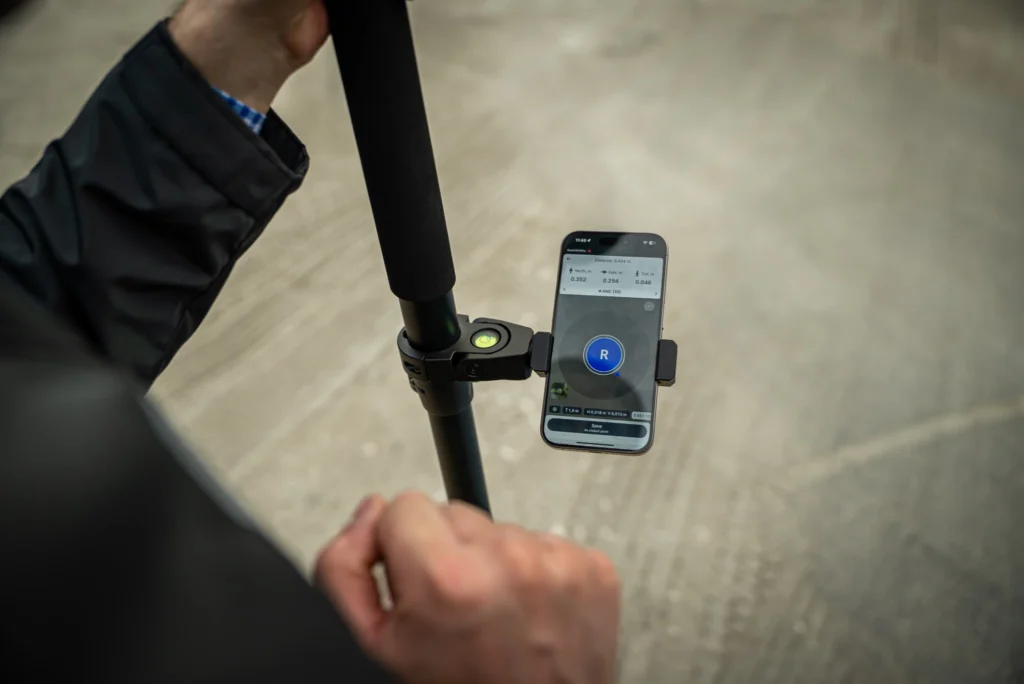
- At the point, you get a bullseye interface. With tilt compensation running, you hit the correct spot at whatever angle you’re holding the pole.
Why cameras, and how the accuracy holds up
The team chose cameras for a simple reason: an image already carries scale, position, and orientation. There’s nothing left to reconcile, unlike with a map view.
That choice came with a harder promise, though: sub-centimeter accuracy in the field, on every unit that ships, not just the one in the lab. Aleksandr breaks down what it takes to keep that promise into three parts.
The sensor. The Reach RS4 Pro uses a top-tier global shutter sensor, one that captures the whole image in a single instant instead of scanning it line by line.
That matters because you’re moving the pole while you use AR stakeout: a global shutter keeps the image sharp and geometrically accurate as you walk, where a standard rolling-shutter sensor would blur or distort it.
Per-device calibration. Every unit goes through a full calibration on the production line. Each camera is calibrated independently, and so is the IMU (Inertial Measurement Unit)—the sensor that tracks the receiver’s orientation and tilt. Emlid monitors calibration statistics across production so no unit ships as an outlier, and runs cross-checks to confirm every sensor is assembled correctly and passes.
“This isn’t a nice-to-have, it’s the only way every user gets a receiver that performs as it should. Without it, you’d have a feature that works well on some units and poorly on others, and nobody could trust the result.“
– Aleksandr Dranitsa, R&D Team Lead
Mechanics. The core frame, the body with the sensors mounted to it, is fault-protected beyond what the IP rating covers, so the sensors keep their calibration after the kind of knocks that happen on a real site.
That calibration is what has to survive the job, Aleksandr says: “Our devices can survive a drop and keep being accurate.”
The limits, and when to turn AR off
Confidence in a tool also means being honest about where it stops working. Aleksandr names two clear boundaries.
The first is bad RTK quality: limited satellite signals, or an improper corrections source. “AR is a view onto your state estimate, so solution quality carries through.” You don’t have to catch this yourself: the app flags degraded accuracy rather than showing it silently.
The second is the IMU. AR needs it running. If your workflow requires the IMU off, AR isn’t available.
Past those two, the conditions people expect to be problems mostly aren’t. “If Emlid Flow runs well on your phone, the image is responsive, and you have a stable Fix, both tilt compensation and AR will work. Darkness included—it will still guide you to the point.“
Related reading: Reach receivers now have built-in RTK corrections
What makes AR stakeout precise
To understand why AR stakeout is a trustworthy field tool, you only need to look at the technology driving it: AR is a visual layer, while high-accuracy state estimation is the engine under the hood.
“It’s the same engine behind tilt compensation, which a lot of users already rely on daily without thinking about it. AR takes that state estimate and draws it onto a camera image instead of a map.”
– Aleksandr Dranitsa, R&D Team Lead
Because of this shared foundation, the question of accuracy resolves itself. AR stakeout isn’t a visual approximation; it inherits the exact same proven precision as tilt compensation. As long as you maintain a solid Fix, your visual guide is rock-solid.
Out in the field, this means total confidence with zero extra complexity. Point, walk, watch your Fix—the calibration work already happened back on the production line.
If you’re curious about the receiver this all runs on: