
 BLOG
BLOG
How to build a complete field-to-office survey workflow with Emlid
When it comes to surveying jobs, it’s easy to focus on the GNSS receiver’s accuracy. But in reality, GNSS accuracy is only one part of the workflow.
For professionals working in construction, land surveying, GIS, or drone mapping, success depends on a lot more than just measuring centimeter-level coordinates. Your receivers need to connect with correction sources, your team needs to work with shared data, and your office needs access to clean, post-processed results.
You need a workflow that connects multiple project stages from the field to the office seamlessly and minimizes the number of hardware and software tools in use. The workflow that is simple for new users, powerful enough for specialists, and flexible enough to integrate across various scenarios.
That’s what Emlid aims to provide.
Emlid offers more than just reliable GNSS hardware. It delivers a connected software suite—Emlid Flow, Flow 360, Emlid Cater, and Emlid Studio—that ties your entire workflow together. Discover how you can work faster at every stage when all your Emlid tools come together as one coordinated system.
- Set up once with a permanent Reach base
- Collect data fast with Reach and Emlid Flow
- Collaborate between the field and office crews with Emlid Flow 360
- Improve data quality with post-processing workflow in Emlid Studio
- Tools adapting to your workflow
- Want a complete GNSS system? Emlid delivers
- Explore the full ecosystem
Set up once with a permanent Reach base
Fieldwork typically begins with establishing a reliable source of GNSS corrections. For long-term projects or large areas, a permanent base station can greatly improve data accuracy and speed up your on-site work. However, many users are hesitant to set up their own base because it seems too complex or expensive. Emlid changes that.
With Reach RS2+ or Reach RS3 and Emlid Caster, you can deploy a permanent base station in minutes. It delivers corrections to multiple rovers over NTRIP and stays online as long as a power supply is provided. There’s no special setup or third-party subscription required.
Many of our users start by asking: Can I trust this gear to run for weeks? Months? Years?
The answer is yes.
When Grant Mills in Canada set up his Reach RS2 as a permanent base station, he didn’t expect to leave it untouched for years. But that’s exactly what happened.
“I haven’t been up on the roof in 3 years. So, to say I’m impressed would put it mildly. It’s been outside continually for 4 years… I’ve had zero issues with the base, and the caster has worked great the whole time.”
Installed on a rooftop and powered via USB, the RS2 quietly delivered corrections through Emlid NTRIP Caster every day for over four years, through heatwaves, snowstorms, and everything in between. It connected to a nearby Wi-Fi access point and simply worked.
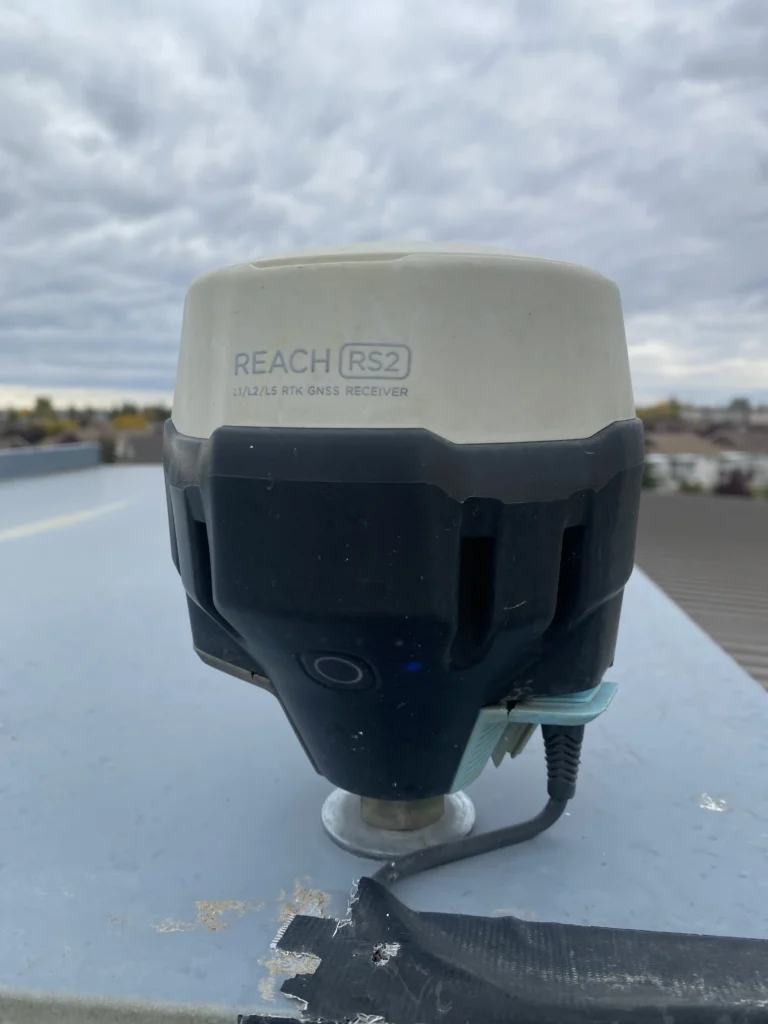
This kind of long-term reliability makes Emlid receivers a smart choice for teams running multi-year construction or monitoring projects. When you’re managing crews across a port, or farm, or mine, a Reach base station gives you corrections on demand.
Collect data fast with Reach and Emlid Flow
Collecting or staking out data in certain industries requires centimeter precision. And Reach GNSS receivers are designed for this job.
But what matters in the field, besides the precision level? It’s time—getting to work quickly can make or break a project. With Reach receivers in combo with the Emlid Flow app, you can be up and collecting points or lines in minutes. No complex menus, no steep learning curve.
Emld Flow works on both iOS and Android and supports full-featured surveying workflows: points, lines, and polygons with codes, auto-collection, stakeout with tilt compensation, COGO tools, and more—all from your smartphone or tablet. Whether you’re a seasoned pro or new to GNSS, it just feels intuitive.
That simplicity is key for teams where field crew members have different experience levels or when you’re rotating staff often.
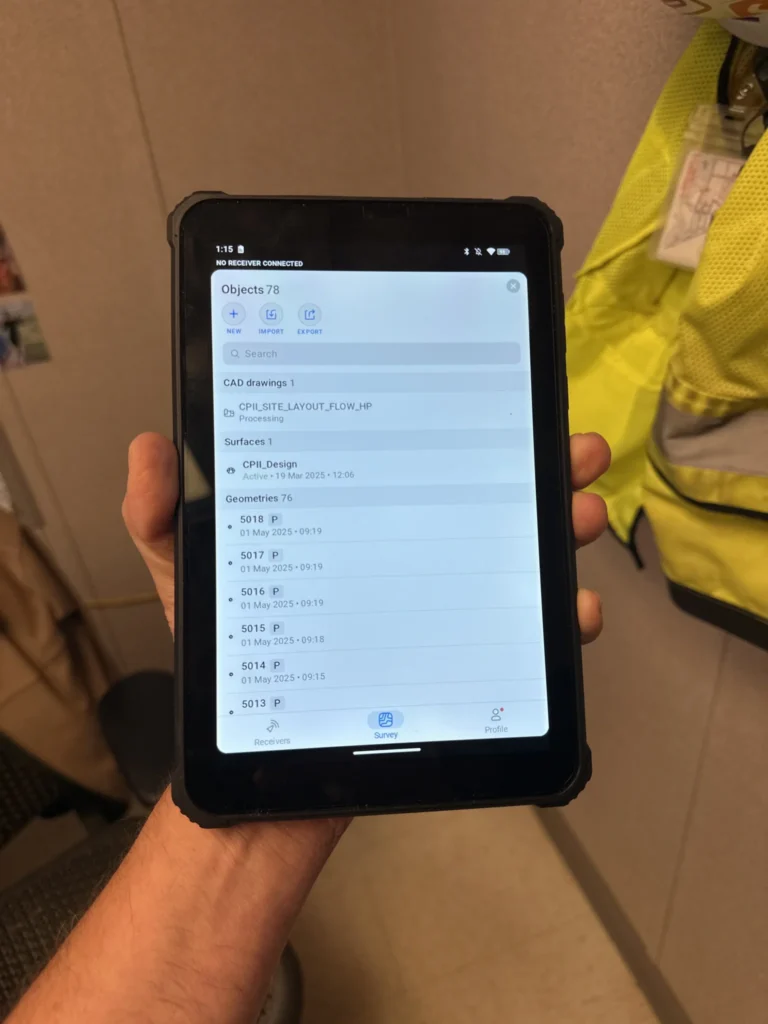
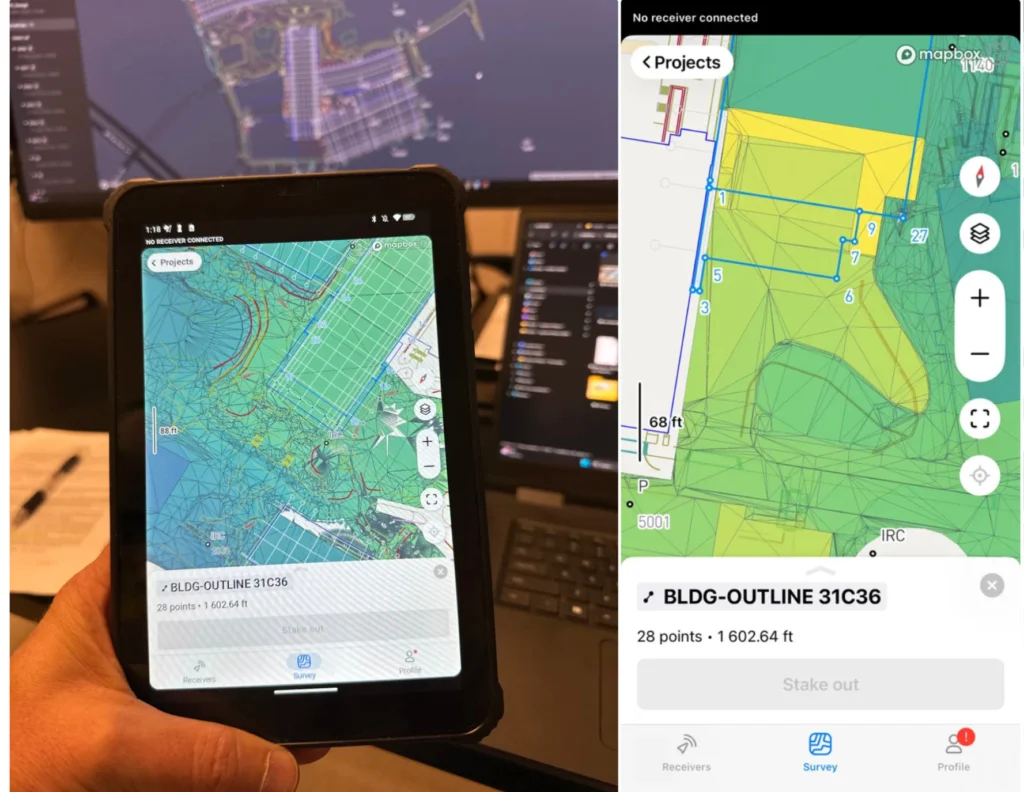
Michael Lambert, President, Operator for ADM Geomatics, leveraged Reach RS3 with Emlid Flow on a 70-acre commercial construction project. His mixed-experience team managed to complete the job in a single day. All they had to do was upload the detailed CAD project to Emlid Flow and stake all the data right from the plan.
“Just having the CAD linework is huge… It’s easy to lose your bearings when all you see are a thousand stakeout points. Emlid Flow makes it easy and visual.”
Collaborate between the field and office crews with Emlid Flow 360
Coordinating between survey crews, managers, engineers, and clients is really challenging. That’s where the Emlid Flow 360 cloud service makes a difference. It bridges the gap between field and office, allowing you to create, manage, and sync projects from any device.
When planning a site for the 70-acre construction project, Michael Lambert got the most out of the cloud sync. His team efficiently captured all the existing features on site and synced the data in real time to Emlid Flow 360, making it immediately accessible for review and coordination in the office. From this data, the team generated detailed terrain and topo models that served as the foundation for design planning.
Improve data quality with post-processing workflow in Emlid Studio
When you need to improve data quality after the field survey is done, Emlid Studio comes into play. With this free app, you can post-process raw RINEX logs to define the base position, get a precise track of measurements even without RTK connection in the field, or add accurate coordinates to your RTK drone data—all in a simple interface.
Emlid Studio focuses on workflow clarity, so new users can handle post-processing without a steep learning curve, and experienced teams can move faster.
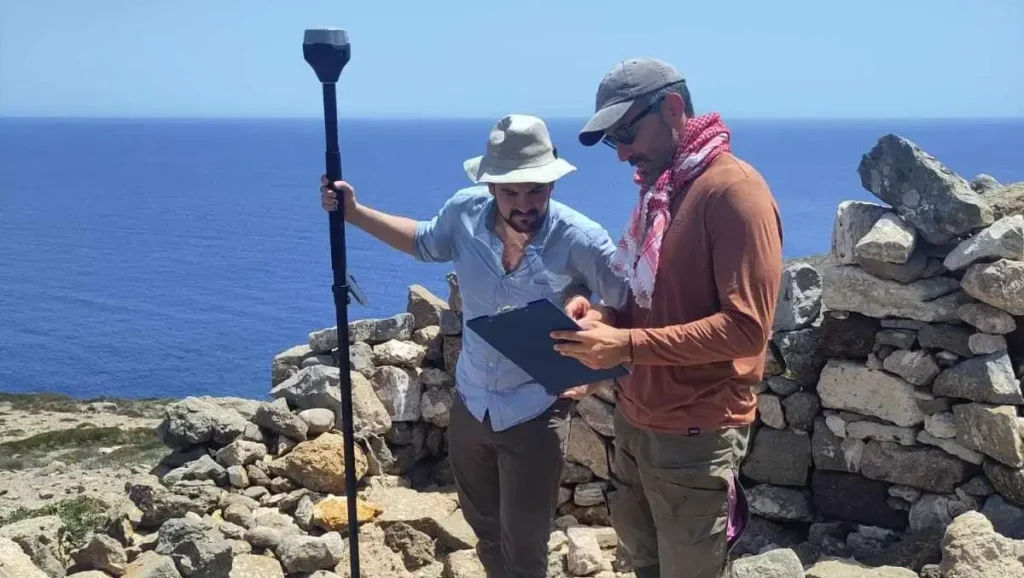
Evan Levin and his team of archaeologists from the University of Copenhagen used Emlid Studio for two purposes. First, they post-processed drone data to correct positioning errors that occurred in the field when RTK correction was unstable.
The second challenge was to manually collect an accurate track of points in areas without RTK connectivity. Archaeologists used the Stop & Go feature in the Emlid Flow app and then post-processed the data with the Stop & Go workflow in Emlid Studio.
Apart from Emlid Studio, the archaeologists used the entire Emlid ecosystem to streamline their fieldwork: Reach RS3 base and rover receivers, the Pix4D & Emlid Scanning Kit, Emlid NTRIP Caster, and the Emlid Flow app. By integrating these tools, they optimized processes, improved accuracy, and enhanced the quality of their documentation.
Tools adapting to your workflow
Your tools should fit your job, not the other way around. That’s the philosophy behind Emlid: we design our receivers to integrate seamlessly into the workflows and software you already use.
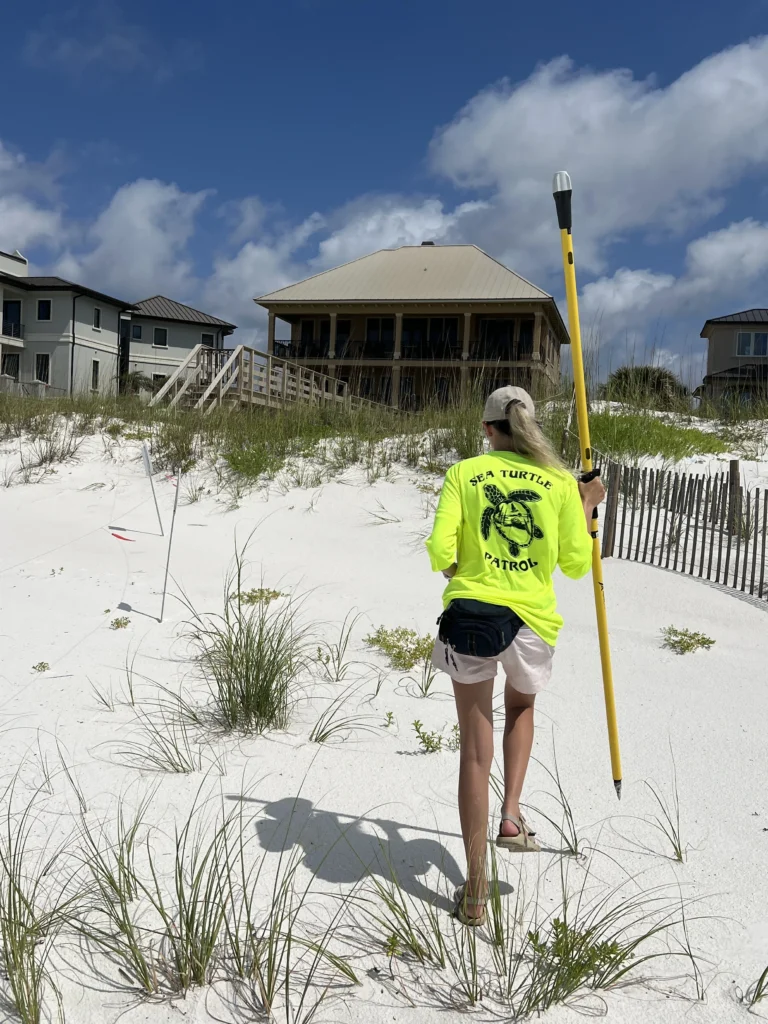
For Kindall Butler, an Environmental Specialist with Escambia County, Florida, that’s exactly what makes Emlid Reach tools, combined with Esri’s ArcGIS apps, a daily essential.
Kindall leads a team responsible for protecting endangered species like sea turtles and beach mice across 12 miles of vulnerable shoreline. Their work involves monitoring erosion, identifying high-ground shelter for wildlife, and restoring nest markers lost in hurricanes. To do it all, they rely on Reach RS2+ and Reach RX receivers connected with Esri’s ArcGIS suite—Field Maps, Survey123, and ArcGIS Pro.
The integration is simple but powerful: the Reach RX connects via Bluetooth to iPhones running ArcGIS Field Maps for lightweight mobile surveys, while the Reach RS2+ links over TCP. Both receivers use RTK corrections via NTRIP to provide 1-foot accuracy in real time. This precision means less time searching for storm-washed nests and more success preserving unhatched eggs.
“If a hurricane washes away sea turtle nest markers, we need precise GPS coordinates to relocate the nests. Having that really accurate point is crucial,” Kindall explains.
Beyond the integration with ArcGIS and other GIS apps, Reach RX pairs smoothly with mobile 3D scanning apps like PIX4Dcatch. The integrated solution doesn’t require additional setup or surveying skills, meaning that anyone on the team can use the Pix4D & Emlid kit, ensuring effective data collection on the go, just moving around the asset. This opens the door to capturing elevation profiles, shoreline models, and habitat reconstructions directly from a smartphone, with RTK precision.
Want a complete GNSS system? Emlid delivers
What Emlid offers isn’t just gear—it’s a connected solution. From the moment you turn on a Reach receiver to the final report in the office, every part of the ecosystem works together to help you get the job done faster, easier, and with more confidence.
With Reach receivers, you get powerful tools, including Emlid Flow for data collection and stakeout, Emlid Flow 360 for data management, and Emlid Studio for post-processing—all built to work seamlessly together.
Invest in a scalable, user-first GNSS workflow built to grow with your business of any scale, whether you’re managing a construction site, flying a mapping drone, or running a GIS team.
Explore the full ecosystem
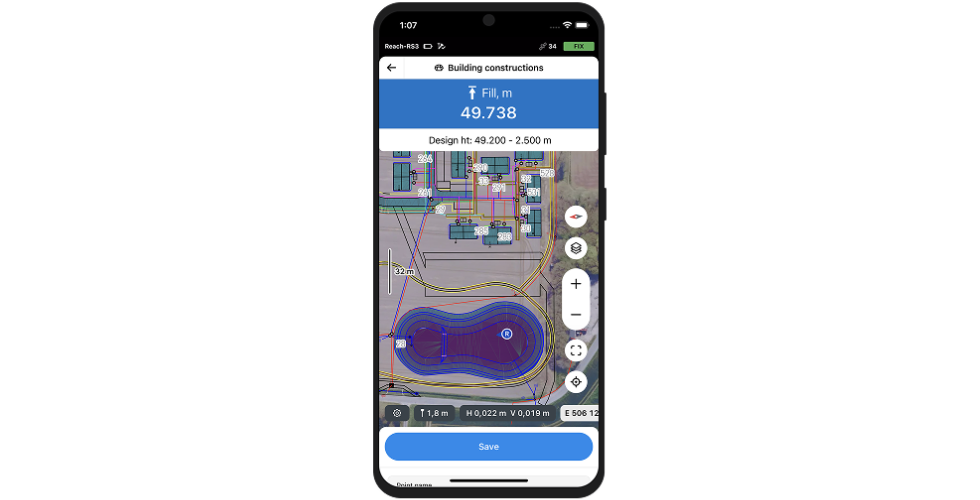
Emlid Flow
For field data collection
and stakeout
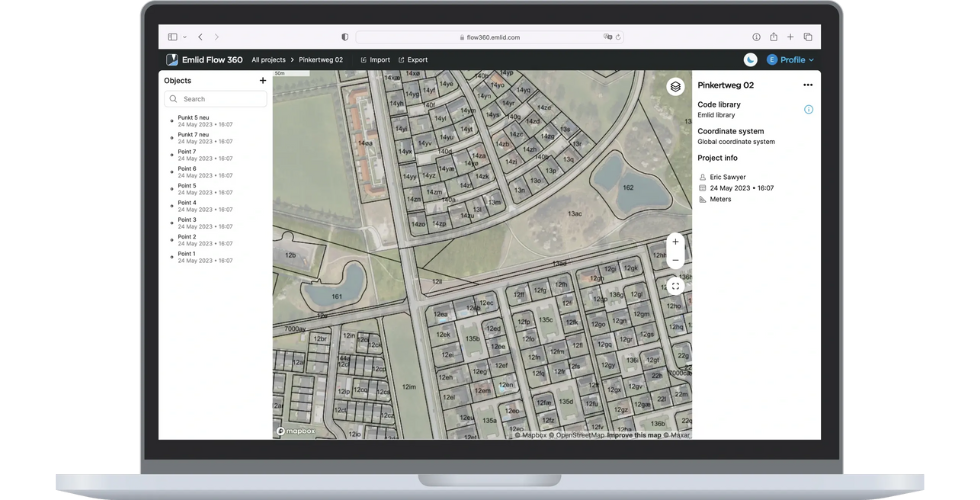
Emlid Flow 360
For cloud sync and data management
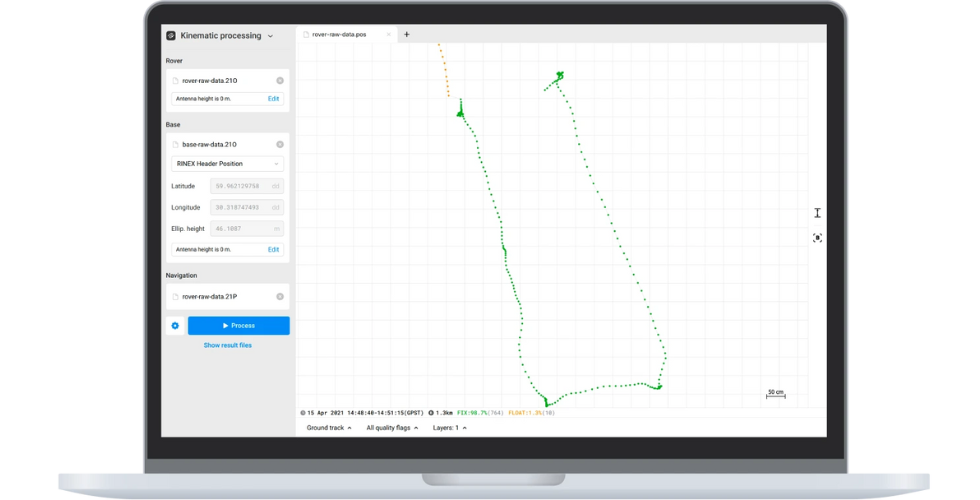
Emlid Studio
For post-processing
data logs