
 BLOG
BLOG
How to manage 10,000+ construction surveying projects and structure data at scale
Running 10,000+ construction surveying projects a year isn’t the same job as running 100. The scale changes how you manage people, machinery, workflows, and data. At that volume, the systems that worked at a smaller scale start breaking:
- Crew scheduling gets harder to coordinate.
- Equipment moves between sites faster than the paperwork tracks it.
- And field data—the measurements, drawings, and stakeout files that keep everything aligned–has to move just as fast as everything else.
Most of those problems require operational changes that go well beyond software. But the data piece has a clear fix.
When files are moved by USB, email, or verbal handoff, crews wait, and teams work from the wrong version. In this article, we’ll look at how Emlid addresses that, keeping field data moving from receiver to office without the back-and-forth.
What the challenge actually looks like
At this volume, three scalability traps emerge that can quietly cut into margins:
- Version risk: duplicating projects “to be safe” leads to crews staking points from three-week-old files.
ㅤ - Discovery failure: a flat, unsorted list of jobs becomes a graveyard where finding one specific as-built takes hours.
ㅤ - Data latency: the back-and-forth between field and office, where nobody’s quite sure if the latest data has been uploaded.
Here’s how Emlid addresses each one—and turns a bottleneck into an effective, repeatable workflow.
1. The “ghost data” fix: why manual syncing may be a risk
In a high-volume environment, data that lives only on a collector is a risk. If a tablet breaks, a crew member leaves, or a file is accidentally deleted before the end-of-day export, that day’s revenue is gone. You’re forced to pay a second crew to re-survey a site you already finished.
For the professional managing 10,000 projects, this means your data should be accessible to all team members. If a field tablet takes a tumble into a trench, you don’t lose the data. You grab a new tablet, log in, and pick up exactly where you left off.
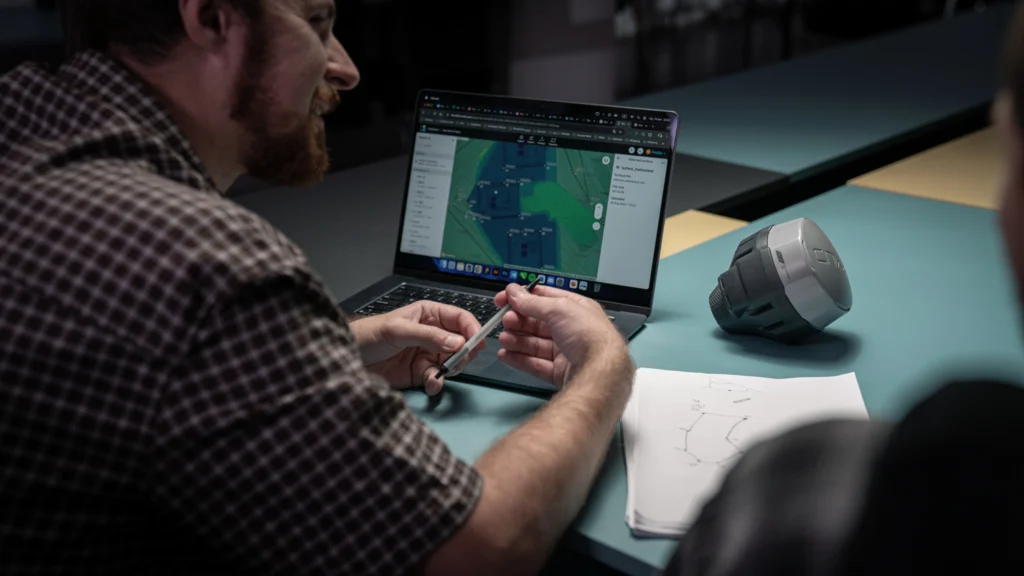
The office team doesn’t have to wait for an email at 5:00 PM; they can see the points appearing on their dashboard in real-time. That’s exactly what Emlid Flow 360 is built for.
It’s a cloud-based platform that backs up and syncs every change the moment your device hits a connection.
Related reading: Minimize construction site visits: how to support your field crew remotely
2. Improving the workflows: managing teams, more than files
On a project with dozens of contributors, “data chaos” is a constant risk. When a coordinate system is modified or a master design file is altered, the ripple effect can stall an entire operation.
In large-scale construction surveying projects, knowing exactly who collected what, and when, is the backbone of project integrity. With twenty supervisors and three surveyors frequently touching the same project list, the ability to track the origin of every grade check and as-built measurement becomes critical for accountability and quality control.
With Workspaces and Team Management, Emlid Flow works as a shared infrastructure. On the Pro and Business plans, you can bring your entire team into a single environment with clear data ownership.
How to organize: segmentation at enterprise scale
Segmentation means deciding which projects are visible to which users. Three approaches cover most large AEC organizations, and they’re not mutually exclusive:
- By geography or region.
ㅤ - By office.
ㅤ - By team or department.
Most large AEC contractors use a combination—regional segmentation at the top level, team-based filtering underneath. The measure of success is simple: each person in the field opens the app and easily finds only what’s relevant to their work today.
3. Curating the field view: layers, surfaces, and context
One of the biggest causes of field errors is “Information overload.” Sending a crew a massive, 50MB master CAD file with every utility, boundary, and topographic detail is a recipe for confusion.
Efficiency at scale comes from curation. Here are some features on Emlid Flow that can help your crew:
- The “Replace & Sync” design: you don’t need to keep several versions of the files; you can simply update them, and it will be updated for everyone.
ㅤ - Context without clutter: you can upload layers (WMS/WMTS Orthophotos or CAD) specifically for context. The crew can see the underground utilities or neighboring site boundaries for awareness, but they don’t have to interact with them for their specific task.
ㅤ - Separate files, same project: prepare your CAD files in advance—one for utilities, one for earthwork, one for whatever the job needs—and upload them into the same project. Each crew works from the file relevant to them, and can toggle the others off when they’re not needed. The utility layer stays available as context; it just doesn’t get in the way.
ㅤ - Unified project settings: in Emlid Flow 360, you can define a default coordinate system and code library at the workspace level. Every new project inherits those settings automatically—no reconfiguring from scratch each time, and no risk of a crew starting a job with the wrong setup.
You can also toggle these project layers on or off and utilize a “default view.” This allows users to instantly reset their workspace and recover the exact configuration established by the manager.
4. The format-first office: getting rid of the processing queue
The biggest office bottleneck is the “Clean-up.” Your field crew sends over a file, but it’s in the wrong format, the layers are messy, or it’s missing the context the designer needs. At 10,000+ construction projects, your office team can’t spend 30 minutes “fixing” every file.
Emlid is designed to play nice with the software you already use—AutoCAD, Civil 3D, and other CAD software.
- Direct native export: export directly to DXF, KML, CSV, or SHP.
ㅤ - Browser-based access: because Flow 360 runs in a browser, your office team can hop in and download CAD-ready files the second the field crew finishes.
More than just capturing points, you’re capturing usable data. This turns a “field-to-finish” pipeline into a straight line, allowing your office team to verify as-builts for fifty projects in the time it used to take for five.
6. Engineering the structure: how to categorize construction projects data
A flat list of 10,000 projects can be a disaster. To keep your “Discovery Failure” close to zero, you need a naming and layering convention that scales.
With the Emlid workflow, you can: get the “clean slate” update: when a design changes, don’t let “Version 1” linger. Upload the new Surface or CAD, confirm the sync, and delete the legacy file. This ensures that the 10,000th project is just as accurate as the first.
Implementation: where to start
Don’t try to reorganize legacy projects at once. Start where the friction is highest and build outward. Here is the sequence that actually sticks:
1. The metadata audit
Before you click “New Project,” look at your current list. Identify the “Frequent Offenders”—the high-volume programs where duplicates and version errors happen most often. These are your first candidates for the new structure.
2. Standardize the “Master template”
Stop letting every crew lead decide how to name a file. Create a Master Project Template in Emlid Flow 360. Define:
- Layer Naming: (e.g., UTIL_Water, SURF_Final_Grade).
ㅤ - Coordinate Systems: pre-set so the field never has to guess.
ㅤ - Project IDs: use a “Year-Region-Job#” format so the search bar actually works.
3. The “Pilot and pivot”
Pick one high-volume region or one specific team (e.g., the Utility Crew) and move them entirely into the new Workspace.
- The metric: track how many “Where is the file?” phone calls the office gets in week one versus week four.
ㅤ - The goal: prove that the office spends less time “fixing” and more time “verifying.”
4. Define when the project is done
Define when a project is “done”—for most teams, that’s when the deliverable leaves the building: the as-built is exported, the QC report is submitted, and the client has signed off. Decide who archives it and when. Write it down.
If it takes more than 30 seconds to scroll through your active list, your archive rule isn’t being followed.
The bottom line: from projects to pipelines
At 10,000+ construction projects a year, the goal is to be automated.
By using Emlid’s cloud-first ecosystem, you’re installing a data pipeline, eliminating the “Ghost Data” that forces re-work, killing the “Version Risk” that leads to errors, and ensuring your office team stays focused on production rather than file conversion.
Success at scale means the surveyor, the stakeout crew, and the office lead don’t need to be in the same meeting—because the system already told them everything they need to know.